Start in three steps, then search the answers to everything people ask — how keyword matching works, why a reply may not send, WhatsApp, plans and your data. Still stuck? A human replies by email.
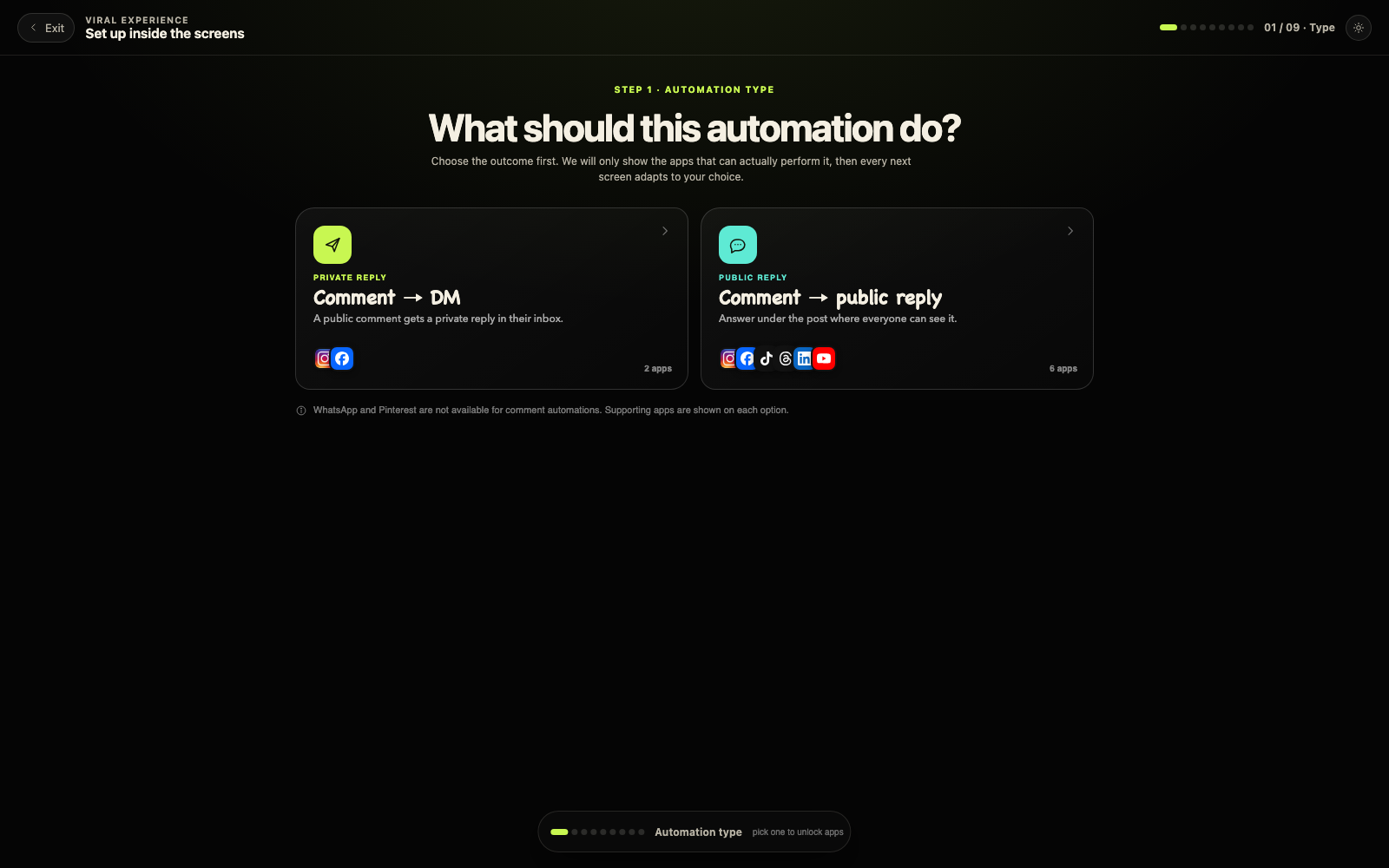
Choose the type, the app, then the post. Nothing sends until you turn it on.
Start here
Start in three steps
Step 01
Connect an account
Instagram, Facebook, TikTok, Threads, YouTube, X, Bluesky, Telegram, Google Business or WhatsApp. You approve access on the platform itself — EvoViral asks for comments and messages, plus the read-only performance metrics that power Analytics. It never asks to edit or delete posts; publishing access is requested only for channels you use in the Planner.
Step 02
Build an automation
Pick a post, add the keyword people will comment, write the answer. A DM on Instagram and Facebook; a public reply on TikTok, Threads and YouTube. On WhatsApp it runs your message auto-replies.
Every trigger, reply, message and click appears in Analytics; the dashboard shows the latest activity and connection status.
27 answers, all listed below — or jump to a section.
01 / Connect & channels
What does EvoViral have access to?
Only comments and messages, and the read-only performance metrics (views, reach, followers) that power Analytics — never the ability to publish, edit or delete your posts, and never your ad accounts. That access is what runs your automations: keywords are matched from comments, and messages power your replies and auto-replies. Everything stays encrypted in transit, isolated to your workspace, and is never sold. Details in the Privacy Policy.
How many connected accounts can I have?
Trial and Starter include 1 connected account, Creator includes 3, and Agency includes 10. A gifted plan always includes exactly 1 connected account, whatever the tier — connecting more needs a paid plan. The full table, with reply limits, is on the Limits page.
Which channels can I connect, and what differs?
Connect Instagram, Facebook, TikTok, Threads or YouTube for comments, and WhatsApp for messages. On Instagram and Facebook a comment gets a DM; on TikTok, Threads and YouTube the answer is a public reply. WhatsApp has no comments, so it runs your message auto-replies instead. You can hold several channels at once, up to your plan’s connected-account limit.
Why do I only see the 25 newest posts?
We fetch the 25 most recent posts per connected account, and the picker covers roughly a year of synced history. For anything older — or for posts that haven’t been published yet — choose “Any post” when building the automation and your keyword works everywhere.
How does WhatsApp fit in?
WhatsApp is a messaging channel, not a comment channel. It does not run comment automations and does not need a post. Connect it and it answers incoming messages through Auto-replies. It does not receive Broadcasts yet: a broadcast is a free-form message, and WhatsApp only accepts those inside the 24-hour window that opens when someone messages you. Template messages would lift that limit, but they are not supported yet — today broadcasts go to Instagram and Facebook threads. EvoViral stores incoming message text only to match keywords and opt-outs — it is never shown in the app, and nobody on your team can read it.
02 / Automations & matching
Why didn’t a reply send?
The usual suspects: the comment or message didn’t match your keywords (matching is case-insensitive, and the whole-word and exact options are stricter); the person already received this automation recently and the repeat policy skipped them; a follower-gated automation is waiting for the follow and the confirmation tap; or the automation is paused. On TikTok, Threads and YouTube the answer is a single public reply under the comment. Every attempt is visible in the automation’s activity log, and we retry temporary failures automatically.
What do the three matching options mean?
When you add a keyword you choose how it matches. “Anywhere in the comment” fires whenever the word appears anywhere in the comment — the default, and best for most keywords. “Whole words only” fires only on the whole word, and ignores keywords shorter than 4 characters. “The comment exactly” fires only when the comment is the keyword and nothing else.
Does matching care about capital letters or typos?
Matching is case-insensitive, so “Link” and “link” are treated the same. Typo tolerance (about 1–2 characters off) works only with “Whole words only”; in the other two options it is ignored.
What does “Ignore repeat comments” do?
It stops the same comment text from triggering the automation again for the number of hours you set — copies of identical text are ignored for that long. Set it to 0 to turn it off. It is about repeated comment text, not the same person.
What does “Wait before they can trigger it again” mean?
This option appears only when “Every comment (they can trigger it again)” is selected. It is the minimum time before the same person can trigger the automation again, in hours: 1 means at most one DM per person per hour, and 8760 means once a year. The default is 24 hours. The safer default for a new automation is 1 DM per person, ever.
Can two automations run on the same post?
No — one active automation per post, so a comment never triggers two DMs. If you see “an active automation already exists for this post”, pause or delete the one already there; the message links you to it. Several posts in one setup are fine: each post gets its own automation.
03 / Sequences & follow-ups
What is a Sequence, and when does it stop?
A Sequence is a short series of follow-up DMs — usually two or three short steps — that keeps a conversation warm after someone messages you. It stops the moment the person replies: anyone who answers leaves automatically. Sequences need a connected Instagram, Facebook or WhatsApp Business account, with free text on Instagram and Facebook and approved templates on WhatsApp. You can pause a Sequence at any time without losing its steps.
04 / DMs & delivery
Why did my DM land in Message Requests?
If the person has never messaged you, Instagram puts your DM in their Requests folder instead of their inbox, and Facebook does the same in Message Requests. It is the platform’s rule, not a setting — every tool on both platforms works this way. Your DM copy can say “check your requests”, and buttons still render there; quick-reply chips do not, which is why buttons are the better choice for a first message.
Why can I only send one reply per comment?
Instagram and Facebook allow exactly one automated reply per comment. If it fails — for example, the person has restricted messages — the reply is spent, and the activity log shows the reason instead of retrying blindly. Anything after that first reply happens once the person messages you. TikTok, Threads and YouTube have no DMs, so there we post one public reply per comment instead.
Why don’t I see delivery numbers on Instagram?
Instagram does not confirm whether a DM was delivered; Messenger (on Facebook) does. That is why “Delivery confirmed” shows a dash on Instagram instead of a number — “DMs sent” is the strongest count Instagram will stand behind.
05 / Audience & follow gate
How do I reply only to my followers?
Open “Who gets it” when building the automation and choose only your followers, only people who do not follow you, or set a minimum follower count. This is Instagram-only — the Facebook version skips it. If you are not sure whether someone follows you, the follow gate asks them to confirm, and their tap is treated as a message that unlocks the real check.
Why does follower status sometimes show as unknown?
Instagram only reveals the follow relationship for people who have messaged the account. For everyone else the app cannot see it, so a follow gate asks them to confirm before the reply goes out — which is why “Follower at trigger” may show a dash at the moment the automation fires.
06 / Plans, limits & billing
What are the fair-use reply limits?
Every plan includes a monthly reply limit. Near it we warn you; at it, sending pauses for the rest of the month — your data stays intact, and upgrading resumes sending instantly. We never charge surprise overage fees. The exact numbers per plan, and what happens at each step, are on the Limits page.
What happens when I reach my reply limit?
At 80% we show a banner in your dashboard and email you once; nothing pauses. At 100% a small 10% grace buffer keeps replies flowing while you decide. At 110% sending pauses for the automations we manage — your contacts, history and settings stay intact. Sending resumes automatically on the 1st, or instantly when you upgrade. There are no overage charges, ever.
How many accounts and automations come with each plan?
Trial and Starter each include 1 connected account and 3 automations. Creator includes 3 accounts and unlimited automations. Agency includes 10 accounts and unlimited automations. The full table, with reply limits, is on the Limits page.
How does billing work?
A 14-day free trial with Starter limits. When it ends, pick a monthly or annual plan in Billing — we never charge automatically. Cancel any time yourself in Billing, and if a paid plan isn’t right for you, write to us within 30 days of a charge and we refund it in full. The whole policy is on the Refunds & cancellation page. A gift code is redeemed in Settings → Billing, and the plan starts as soon as you enter it.
07 / Sales tracking & results
What is sales tracking?
Sales tracking ties real orders back to the automation that earned them. In Settings → Sales tracking you get a personal webhook URL; paste it into Shopify, WooCommerce or Stripe — or any tool that can POST a small JSON order — and each order is matched to the person who messaged you, by email or @handle. Tag the order with a keyword or post and the sale is credited to that automation, so you can see which post sold it. Orders that cannot be matched to a contact are kept for 30 days so you can fix the email or handle later.
Why is my click rate zero?
Click-through counts only DM deliveries that carried a tracked link, so sends from before you turned link tracking on show no click rate. New sends count immediately. Turn on link tracking (and a tracking tag) in the automation to measure clicks from here on.
08 / Your data & security
How do I export or delete my data?
Both live in Settings → Account: Download my data gives you your workspace record as a single JSON file (message text is excluded by design), and Delete account removes your account, workspace, conversations and connections permanently, the same day.
How long do you keep contacts who go quiet?
You decide. Settings → Account → Delete old contacts lets you choose how long to keep contacts who have gone quiet, then delete the older ones yourself when you are ready. Buyers are always kept, and nothing is ever deleted until you press the button.
Is my data safe?
Every workspace is isolated row-by-row — no customer can ever see another customer’s data, and the app only shows your own. You can revoke a connection from the platform itself at any time, and deleting your account disconnects everything. More in the Privacy Policy.
09 / Getting human help
Something looks off — how do I reach a human?
First: the status page shows live pipeline health, and the known issues page lists the platform quirks and anything imperfect on our side (with workarounds) — most surprises are already answered there. Still stuck? Use the contact form below — it lands straight in our inbox with a reference for you. We answer every message by email, usually within one business day.
Question not here? Send it straight to us — the contact form just below lands in our inbox with a reference you can quote.
Contact
Talk to a human.
Send us a message — it lands in our inbox with a reference you can quote back. We answer every message by email, usually within one business day.
The same form takes refund requests and anything billing-related — one thread, one reference.